
Subscription
The Free plan covers three active clients with no time limit. What counts as an active client, and how to change or cancel your plan in Settings.
You can use Socra.fit for free. The Free plan has no time limit, and every plan has the same features. The plans differ in the number of active clients and in whether the emails to your clients carry the Socra.fit logo. Prices are on the Pricing page.
What counts as an active client
On the Free plan you can have three active clients. An active client has joined through an invite and is not archived. Archived clients, and clients who have not joined yet, do not count as active.
When you create a new invite, though, invites you have already sent are counted along with your clients. Each invite stays valid for seven days. This way you never send a code to someone who then cannot join.
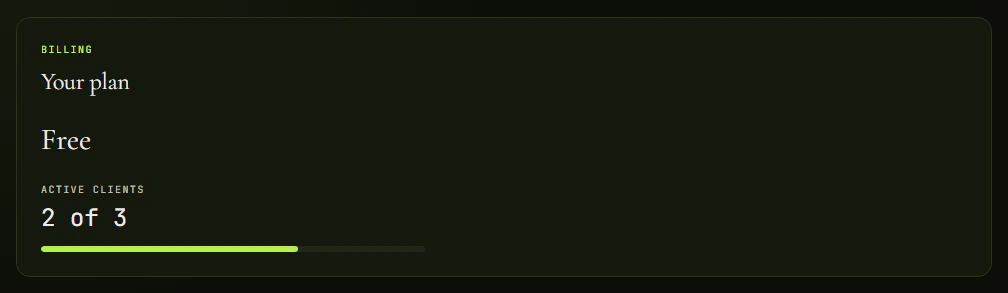
You see the count above the client list and in Settings, for example as 2 of 3.
Where the subscription is
- Open Settings.
- Click the Subscription tab.
- At the top is Your plan: the plan name, your active clients out of the limit, and a bar showing how full it is.
Move to a paid plan
- Under Paid plans, choose Monthly or Annually.
- On the plan you want, click Move to followed by its name.
- You finish the payment on a Stripe page. That is where you enter your card.
- When you return to Socra.fit you see a confirmation of the payment. The plan sometimes takes a moment to show.
Manage the subscription
If you already pay, click Manage subscription. Stripe opens, where you change the payment card, find invoices and cancel the subscription.
You pick a different plan under Change plan on the same page. A plan your clients do not fit into has a disabled button that tells you how many clients to archive. You confirm the change in Stripe.
When a payment fails, we try it again. Settings shows the notice A payment failed with the date until which you keep full access, and the Update payment button leads to Stripe. After that date the Free plan limit applies. Your clients, plans and history stay.
Tips
- If you have no room for another client, archive someone you no longer work with (Archive client on their page) or move to a bigger plan. Archiving ends the relationship and the active plan, and the history stays. You can bring the client back with Restore client once you have a free spot.
- On a paid plan you can send emails to your clients under your own name. The Hide Socra.fit from client emails switch is on the same page.