
Client profile
The client page shows adherence, workout history, weight and measurements. Here is what you will find and how adherence is counted.
The client page shows how a client is keeping up with their plan and how their weight and measurements are changing. Look at it before you message the client or change the plan.
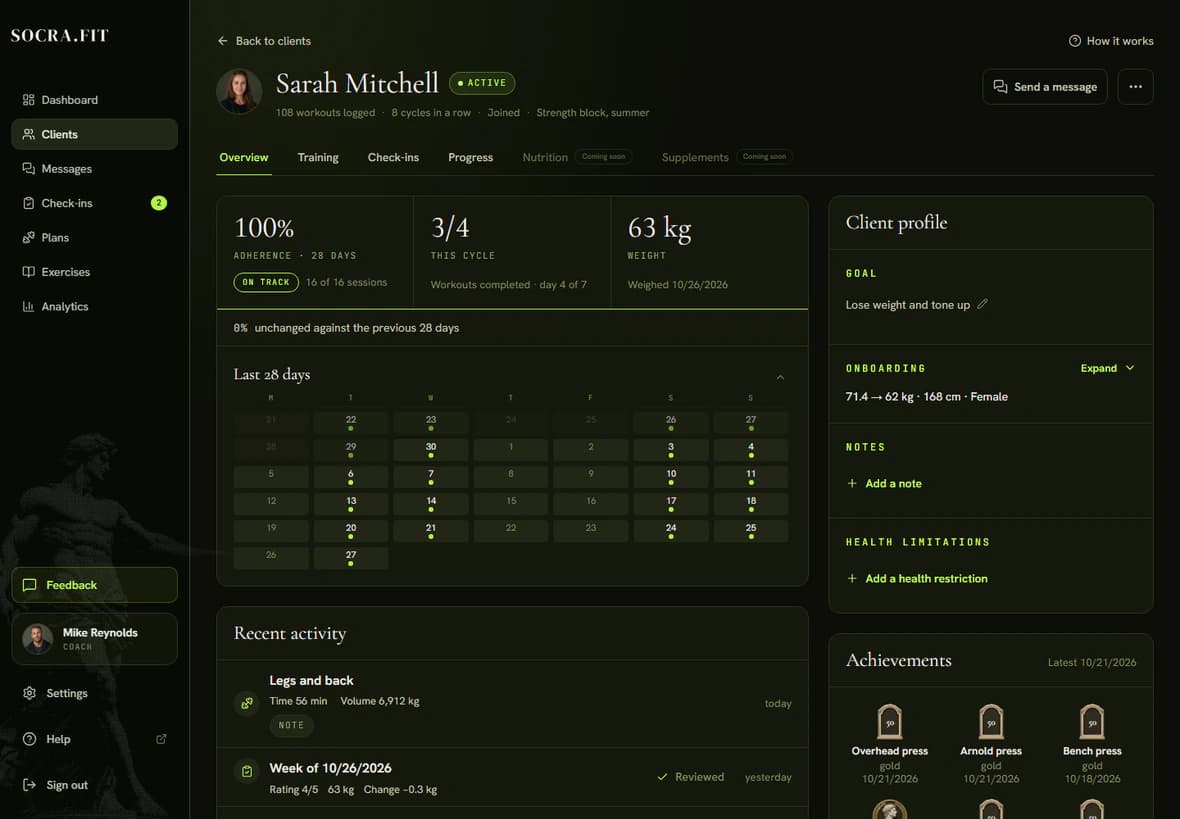
The overview
- Open Clients and click the client's name.
- At the top of the Overview tab are three readouts: Adherence, This cycle (finished sessions and the day of the cycle) and Weight from the latest check-in.
- Below them is the Last 28 days calendar. A dot marks a day the client trained. Click a day to open that session. Scroll the calendar up for earlier weeks.
- Recent activity lists workouts and check-ins. Client profile on the right holds the Goal, Onboarding answers and Notes.
How adherence is counted
Adherence is the share of prescribed sessions the client did, out of those that have come due. It covers about 28 days, rounded to whole plan cycles, and only finished cycles count. A session in a running cycle is neither done nor missed, so in a first cycle the page shows Nothing due yet. A partly finished session counts as done. Check-ins are not included.
The label next to the number tells you whether to get in touch:
- On track: 75% or more.
- Warning: 50% to 74%, or down 20% or more against the previous 28 days.
- At risk: under 50%, or two missed sessions in a row.
When a client needs attention, a line with the reason and a Send a message link appears under the numbers.
Workout history
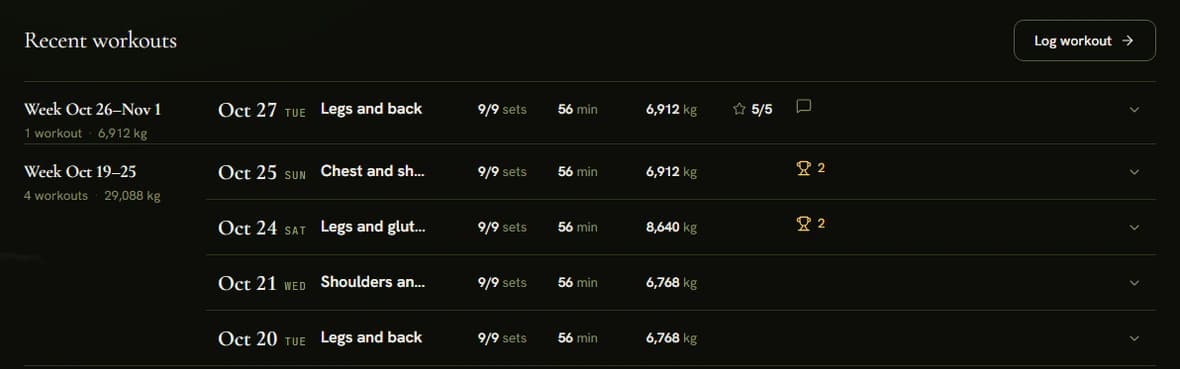
Open the Training tab. Recent workouts is grouped by week. Each row shows the date, title, sets done out of sets prescribed (such as 16/18 sets), time, volume in kg and the client's rating. Open a row to compare each exercise with last time. View detail opens the full session, where you can leave a Workout comment. Your first comment emails the client, and they reply to you. Older workouts loads earlier weeks.
Weight and measurements
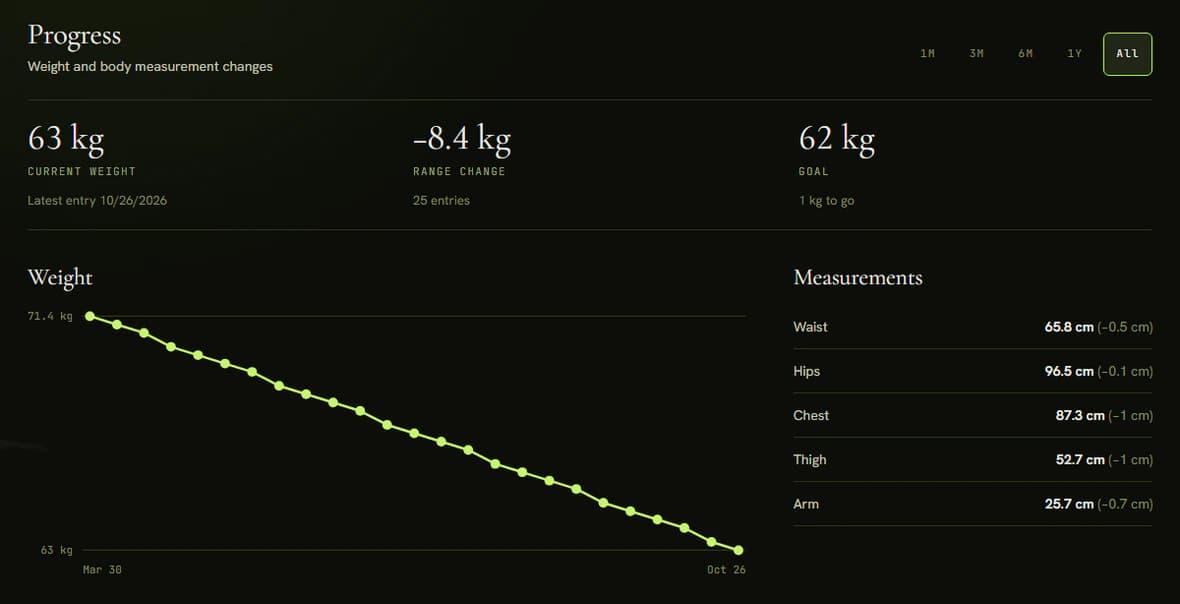
The Progress tab charts weight (1M, 3M, 6M, 1Y, All) and lists Measurements: Waist, Hips, Chest, Thigh and Arm. Each shows the latest value and its change since the previous entry.
Weight and measurements come from check-ins. The client adds measurements in the check-in form with Add measurements; you cannot enter them yourself. A weight trend needs two entries. See Check-ins.
Tips
- If a client trained outside the app, record the session with Log workout above the history. It appears once the client has joined, completed Onboarding and the plan has started. The session is marked Logged by coach.
- Message the client from this page with Send a message. See Messages.