
Worked example
Fictional client Alex, 12 due sessions, 10 completed including one partial session, and four separately tracked check-ins.
An editable workbook that combines a lightweight client roster with detailed session, check-in, and performance records for one selected client.
Start with the clean workbook. The worked example shows the calculations and separate check-in tracking.
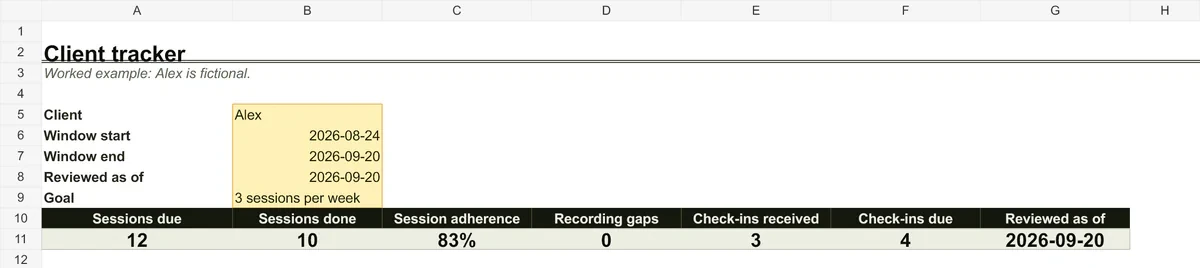
Fictional client Alex, 12 due sessions, 10 completed including one partial session, and four separately tracked check-ins.
The file is an .xlsx workbook for Excel. Google Sheets opens it through import; check the formulas, formatting, and validation after importing.
The workbook is a working aid, not an automatic judgement about a client. First decide what you will consistently record for every session.
Add the lightweight roster to Clients. For another client's detailed records, duplicate the whole file and preserve the supplied status labels because the formulas depend on them.
Exclude future sessions. Mark a missing record as a data gap rather than automatically calling it a missed session.
Compare attendance with feedback and check-ins. A percentage alone does not explain why something changed.
The download requires no sign-up and the page does not receive client details. You control access, sharing, and retention for the completed workbook in your own storage.
Connect the tracker to a plan, client onboarding, and a regular review.
Socra.fit brings plans, workout logs, check-ins, and adherence into one coaching workflow.
Your first three active clients are free, with no time limit.