
Build a plan
How to build a training plan: cycle days, exercises from the library, sets, reps, RPE, rest, supersets and notes.
A plan is a cycle of days that repeats. Each day is a workout or a rest day. You build it once in your library and assign it to clients, and each client gets their own copy.
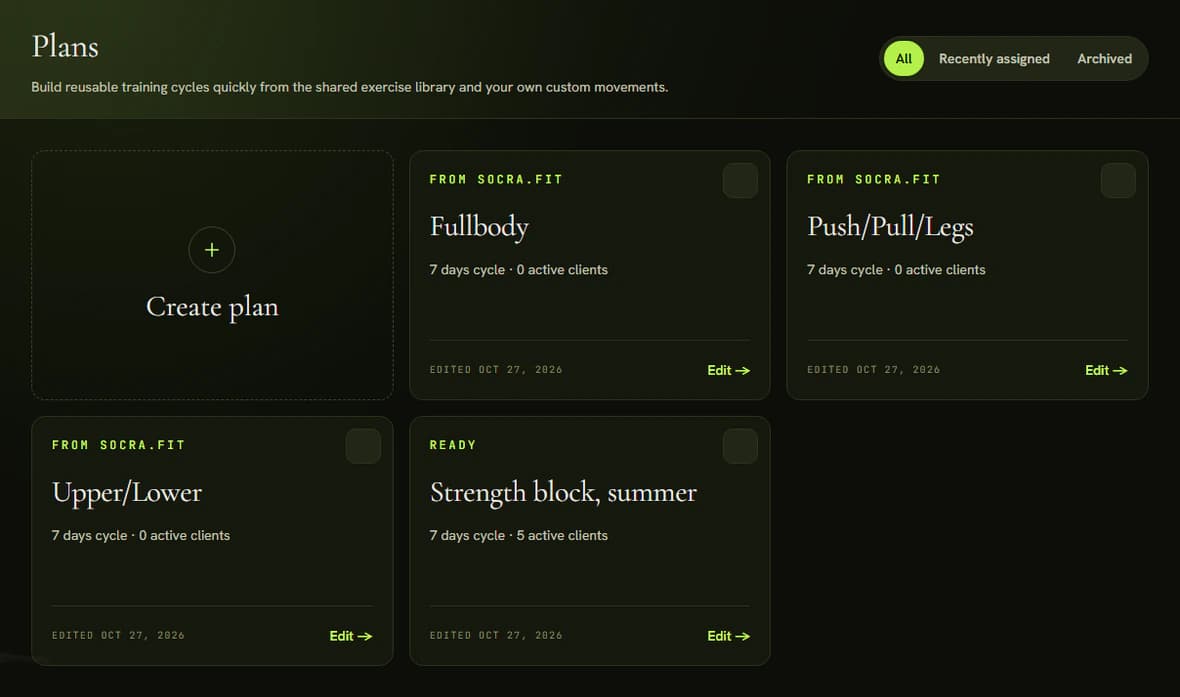
Create the plan
- Open Plans and click Create plan. A new plan starts with one workout.
- Click the pencil icon next to the title and name the plan.
Lay out the cycle
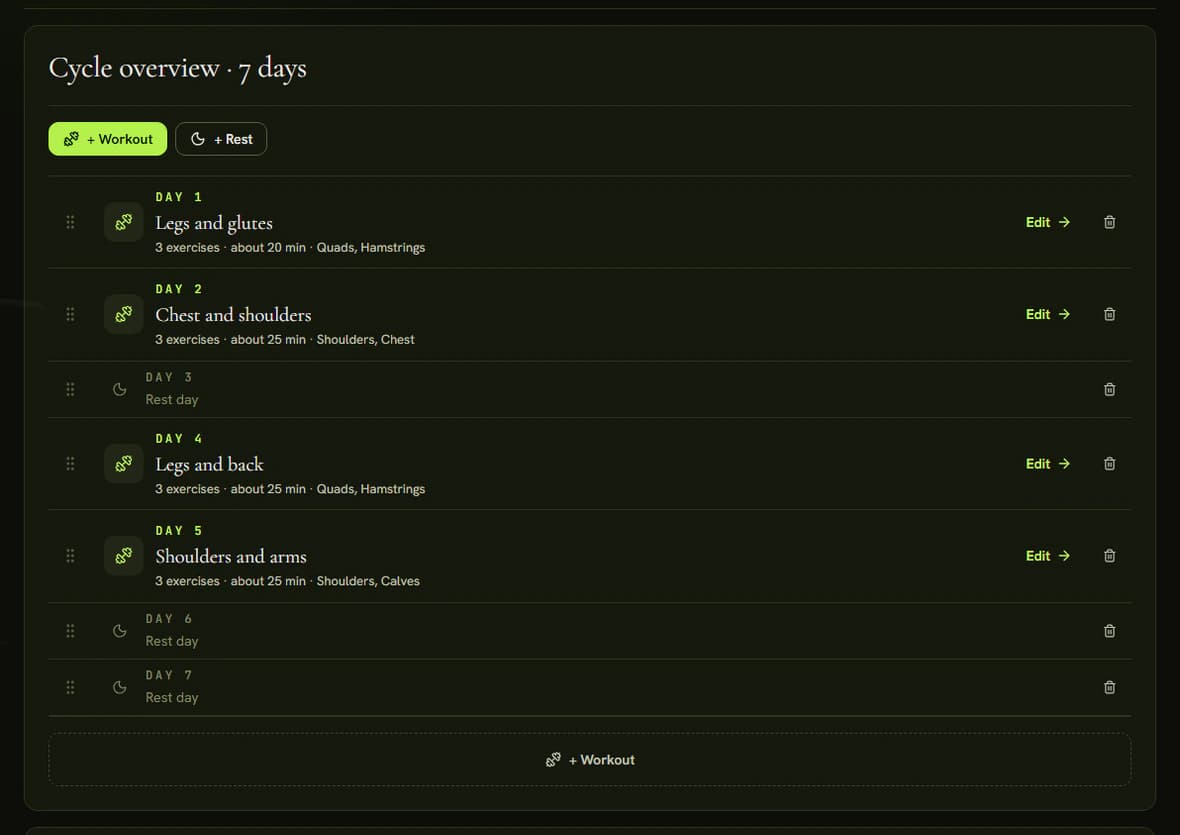
Cycle overview lists the days of the plan. Add days with + Workout and + Rest, and change the order by dragging the handle on the left. After the last day the cycle starts again.
Add exercises
- Click Edit on a workout.
- In the Exercise library, find an exercise with search, the muscle filter or the Library, Favorites and Custom tabs. Click Add. On a narrower screen, open the library with Add exercise.
- Click the exercise card to expand it.
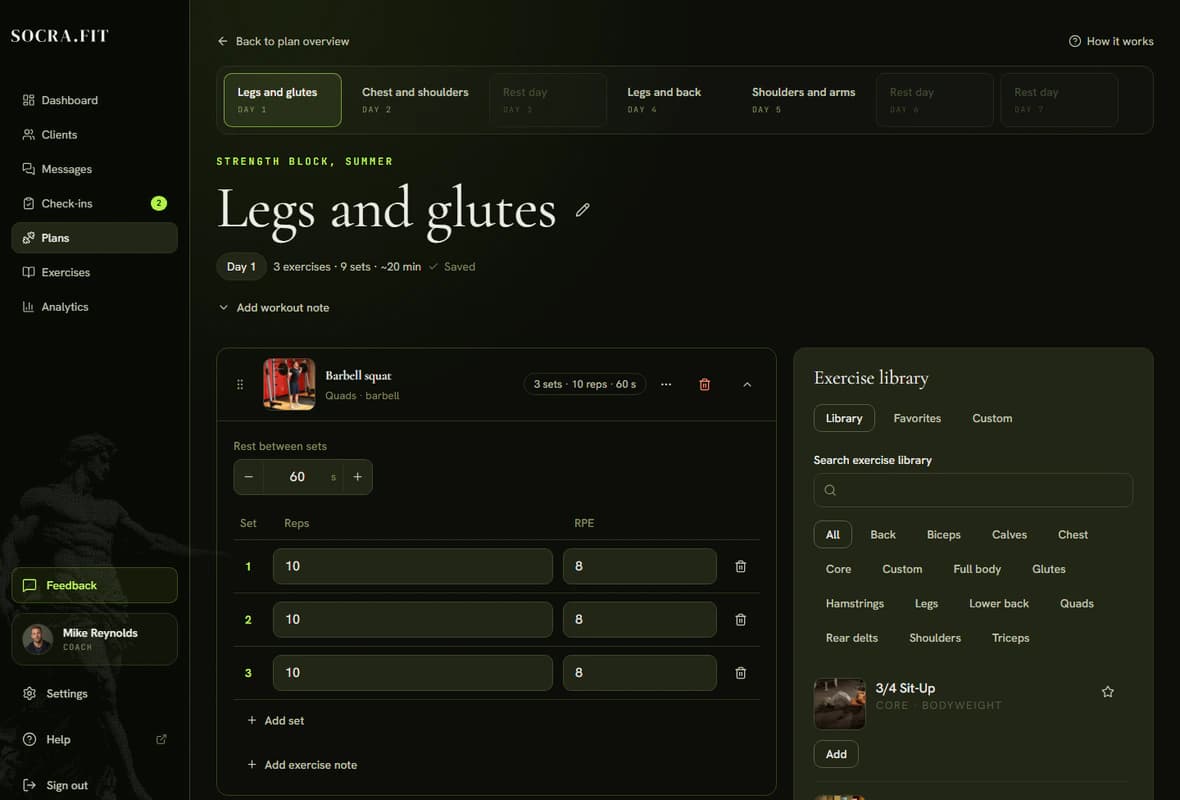
A new exercise starts with three sets of ten reps. In the expanded card you can change:
- Reps as a number or a range, for example 8-10.
- RPE, how hard the set should feel on a scale of 1 to 10. Halves work too, for example 7.5.
- The number of sets: Add set adds a row, the trash icon removes one.
- Rest between sets, in seconds. Rest between exercises sits between the cards.
You do not set a weight. The client logs it during the workout, and next time the same exercise is prefilled from their last entry. For a rep range, the lower number is prefilled.
Superset
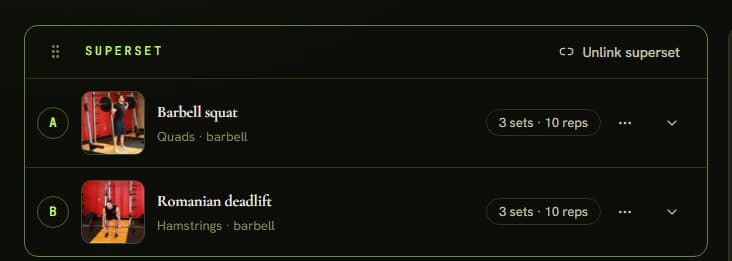
Click Link as superset between two exercises. They join in a SUPERSET group as A and B, and Rest between rounds is set once for both. Unlink superset splits them again.
Notes
You can write a note on the plan (Add plan note), on a workout (Add workout note) and on an exercise (Add exercise note). The client sees the plan note and the workout note on the Training tab.
Tips
- Changes save automatically.
- The three-dot icon on an exercise card opens a menu with two choices. Alternative exercises sets up to three alternatives the client can pick in the tracker when the rack is busy. Swap exercise replaces the exercise and keeps its position, sets and any superset link.
- A plan cannot be assigned while any workout has no exercises.
- The first time you open your library, three plans marked From Socra.fit are waiting (Fullbody, Push/Pull/Legs and Upper/Lower). You can edit, assign or archive them.