
Assign a plan
How to assign a plan on the client's Training tab, pick a start, prepare a plan for a client who has not joined yet, and what changes for the client.
A library plan reaches the client when you assign it. They get their own copy, so later edits to the library plan do not change theirs.
Assign the plan
- Open Clients, click the client and go to the Training tab.
- In the Plan field, choose a plan from your library.
- Click Assign plan.
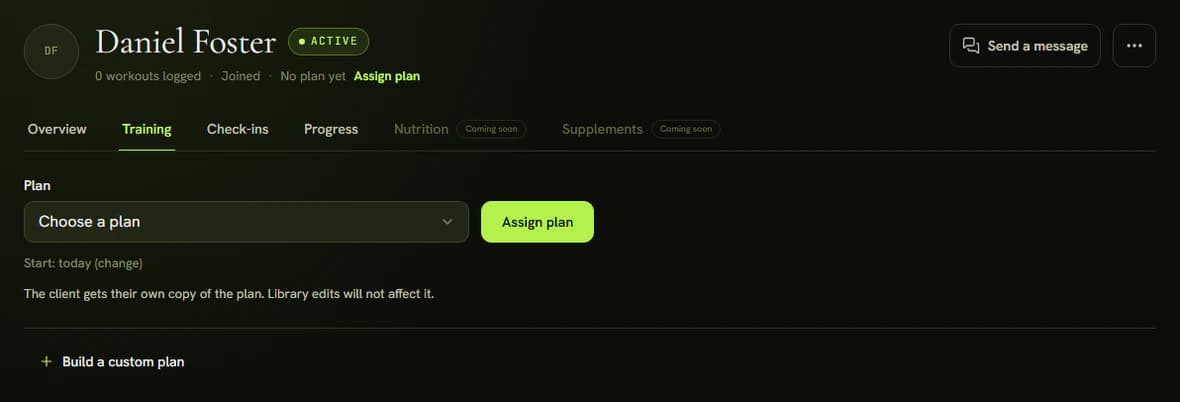
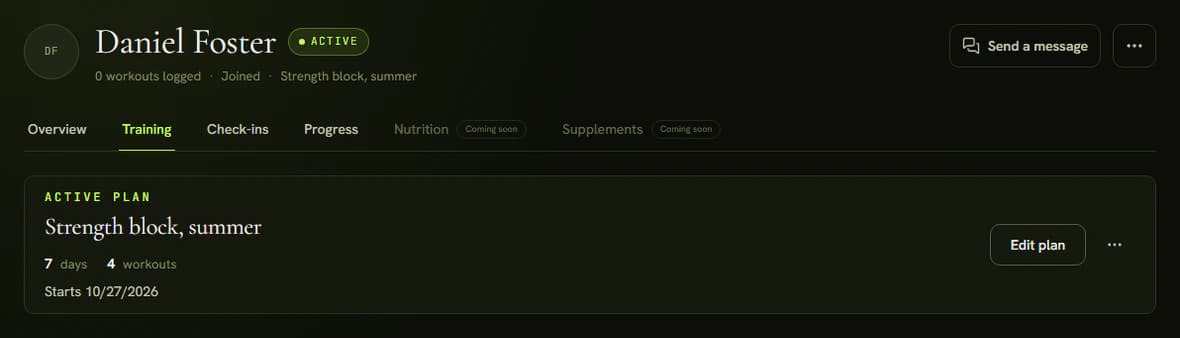
The plan starts today. To pick another day, open Start: today (change) and set the Start date. After you assign it, the tab shows Active plan with the title and start.
A client who has not joined yet
You can prepare a plan for a client who has not used the invite. The Training tab shows Your client has not joined yet and offers Prepare plan instead of Assign plan. The plan waits as Waiting for the client and starts the day the client accepts the invite.
To start later, open Start: the day they join (change) and set No earlier than. You find the invite through Open the Overview with the invite.
What changes for the client
A client who has joined gets an email with a link to the app. On Today they see the next workout with Start workout, and the whole plan on the Training tab. If the plan starts later, they see Your plan starts soon with the date of the first week. When you edit the plan afterwards, the changed workout shows Your trainer changed this workout.
Changing a plan
Edit plan opens the client's copy, and changes affect only that client. The three-dot menu holds Replace plan, Create new plan (an empty plan just for this client) and End plan. Completed workouts stay in the history.
Tips
- A plan cannot be assigned while any workout has no exercises.
- Build a plan for one client only with Build a custom plan. It does not go into your library. When it is ready, start it with Start plan, or Prepare plan if the client has no account yet.